app

Grammarly Expands Program for EdTech Partners With Grammarly Authorship Resale Motion and Strategic Partnership With Douglas Stewart Software

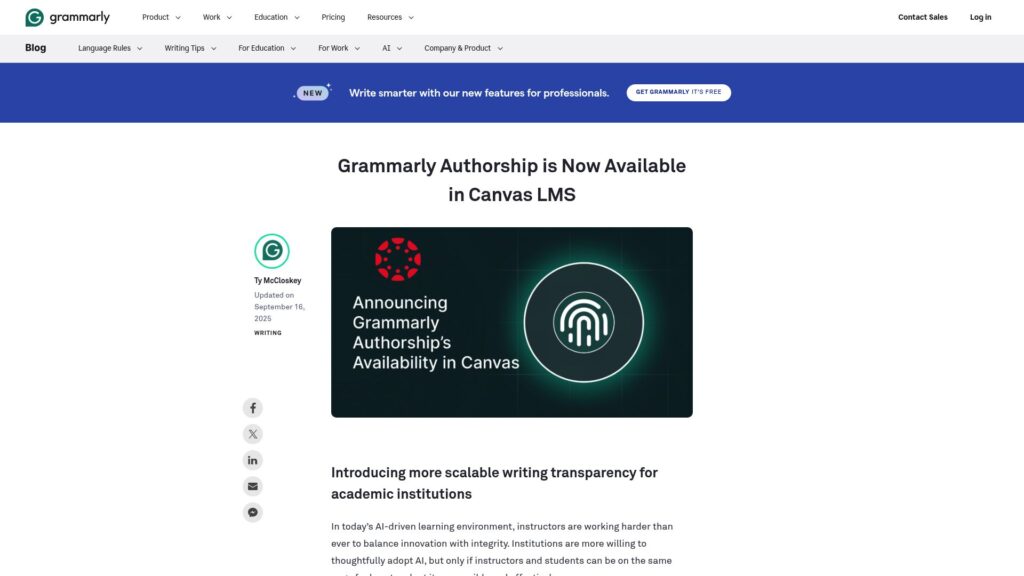
Grammarly expands its edtech partner program, introducing resale capabilities for its Authorship tool, which tracks AI and human writing in student work. The partnership with Douglas Stewart Software boosts Grammarly’s educational reach, enhancing academic integrity and promoting authentic writing. Grammarly aims to foster innovation and value-driven partnerships in education.

https://www.grammarly.com/blog/company/edtech-partner-program/

6 Tweaks You Can Enable in Scrivener’s Appearance Settings

Scrivener offers various settings to customize the app's interface for comfort during long writing projects. Users can change themes, add notepad lines, highlight current lines in the editor, adjust index card display, enhance the Outliner, modify Scrivenings separators, and switch to page view. These tweaks improve navigation and visual appeal, allowing for a more personalized writing environment.

https://www.literatureandlatte.com/blog/6-tweaks-you-can-enable-in-scriveners-appearance-settings

From Words to Value: How Grammarly’s Effective Communication Score Quantifies AI’s Impact

Grammarly introduces the Effective Communication Score (ECS) to measure AI's impact on organizational communication. It aims to assess overall communication quality through metrics like correctness, clarity, and inclusivity. ECS provides real-time insights for Enterprise customers, helping them understand communication effectiveness compared to industry benchmarks. The scoring method gauges the number of unaddressed writing suggestions, reflecting communication quality. The initiative seeks to enhance insights on communication across platforms and prove Grammarly's ROI, helping organizations improve their writing and productivity.

https://www.grammarly.com/blog/engineering/effective-communication-score/

How to Use Scrivener’s Navigate Menu to Access Elements of Your Projects

Scrivener's Navigate menu enables project navigation even when the Binder and Inspector are hidden. Users can switch to a minimal layout or Composition Mode for distraction-free writing. The Navigate menu provides access to project elements, allowing quick jumps between documents, revealing items in the Binder, and opening Quick Reference windows for details. Various commands in the menu facilitate efficient project management without visible interface elements.

https://www.literatureandlatte.com/blog/how-to-use-scriveners-navigate-menu-to-access-elements-of-your-projects

How AI Is Helping Customer Support Teams Avoid Burnout

Customer support teams face high ticket volumes and constant communication demands, leading to burnout; 62% of agents feel pressured by the expectation to always be connected. Despite AI's potential to alleviate some of this burden, adoption is low, with only 68% using it. Barriers include lack of resources, privacy concerns, and preference for human interaction. AI can enhance agent communication, productivity, and brand compliance, but customer support tools must evolve to meet growing demands.

https://www.grammarly.com/business/learn/cx-productivity-shift/

How to Write an Effective Rough Draft: Practical Tips for Every Writer

TLDR: A rough draft helps writers explore ideas freely without perfectionism, paving the way for better organization and clarity. It fosters momentum, clarifies arguments, and prepares for revisions. Key steps include transitioning from an outline, writing an introduction, developing body paragraphs, overcoming obstacles, and concluding effectively. Tips include writing without overediting, utilizing placeholders, and seeking feedback. Embrace AI tools like Grammarly for enhanced drafting efficiency, but remember to revise with your unique voice.

https://www.grammarly.com/blog/writing-process/how-to-write-a-rough-draft/

“What We Make Stands Testament to Who We Are.”

Jony Ive's recent Stripe Sessions 2025 masterclass emphasized the deep connection between design and philosophy, showcasing insights on identity linked to creation. He argued that true understanding comes from making, aligning his thoughts with philosophers like Vico and Aristotle. While he sees himself as a craftsman, he critiques design's economic constraints and emphasizes the spiritual aspect of caring in design. He advocates for valuing ideas over mere opinions, highlights the significance of effective collaboration, and acknowledges the pain of change in design processes. Ultimately, Ive's philosophy intertwines creativity with careful thought, stressing the importance of principles and the nuanced nature of ideas.

https://ia.net/topics/what-we-make-stands-testament-to-who-we-are

10 Things You Can Do With Synopses in Your Scrivener Projects

Scrivener's Synopsis field in the Inspector allows you to write project overviews and is visible in Corkboard and Outline views. Key uses include creating synopses, mini-outlines, leaving it blank for auto-generated text, revising auto-synopses, adding images, listing key moments, exporting outlines, utilizing it for non-fiction, updating as you write, and navigating projects. This feature aids in organizing and managing projects effectively.

https://www.literatureandlatte.com/blog/10-things-you-can-do-with-synopses-in-your-scrivener-projects

10 Things You Can Do With Synopses in Your Scrivener Projects

Scrivener's Synopsis field is versatile for organizing project overviews. It displays in multiple views (Editor, Corkboard, Outliner) and can be used for writing synopses, creating mini-outlines, leaving it blank for file previews, revising auto-generated texts, adding images, noting key moments, compiling project outlines, and managing non-fiction projects. Updating synopses during writing helps maintain an overview, aiding navigation across files. This feature enhances project management from planning to revisions.

https://www.literatureandlatte.com/blog/10-things-you-can-do-with-synopses-in-your-scrivener-projects

Scroll to Top