app

Bear 2.9: Use Tag as Workspace

Bear has introduced Workspace, a feature that lets users designate any tag as a focused writing environment, showing only notes and related tags under that tag to minimize distractions. This allows users to quickly switch between projects or contexts, keeping their note workspace streamlined and private. The update also adds scoping for the MCP server, enabling control over which notes are visible based on tags, enhancing privacy and organization within Bear.

https://blog.bear.app/2026/07/bear-2-9-use-tag-as-workspace/

Create Custom Scrivener Compile Formats

Scrivener's compile feature allows writers to export their projects in various formats, with customizable compile formats enabling precise control over the final document layout. Users can create or duplicate compile formats, then adjust numerous settings such as section layouts, styles, separators, and file-specific options like CSS for ePubs or PDF configurations, tailoring the output to their specific needs. Testing and iterative refinement within the Compile Format editor help ensure the exported file meets the desired standards, especially useful for generating custom-designed ebooks or print-ready PDFs.

https://www.literatureandlatte.com/blog/create-custom-scrivener-compile-formats

Use Scrivener’s Find by Formatting Feature to Find Highlights, Comments, Colored Text, and More

Scrivener's Find by Formatting feature enhances editing by allowing users to search for text based on specific formatting types such as highlights, comments, revision colors, styles, and more. Accessible via the Edit menu, keyboard shortcuts, or the toolbar, this tool is especially useful during the revision stage to locate and manage annotations, changes, or color-coded text across a project. By enabling writers to quickly navigate formatted text, this feature supports an organized and efficient revision workflow.

https://www.literatureandlatte.com/blog/use-scriveners-find-by-formatting-feature-to-find-highlights-comments-colored-text-and-more

Write Now with Scrivener, Episode No. 64: Tahmima Anam, Author of Uprising

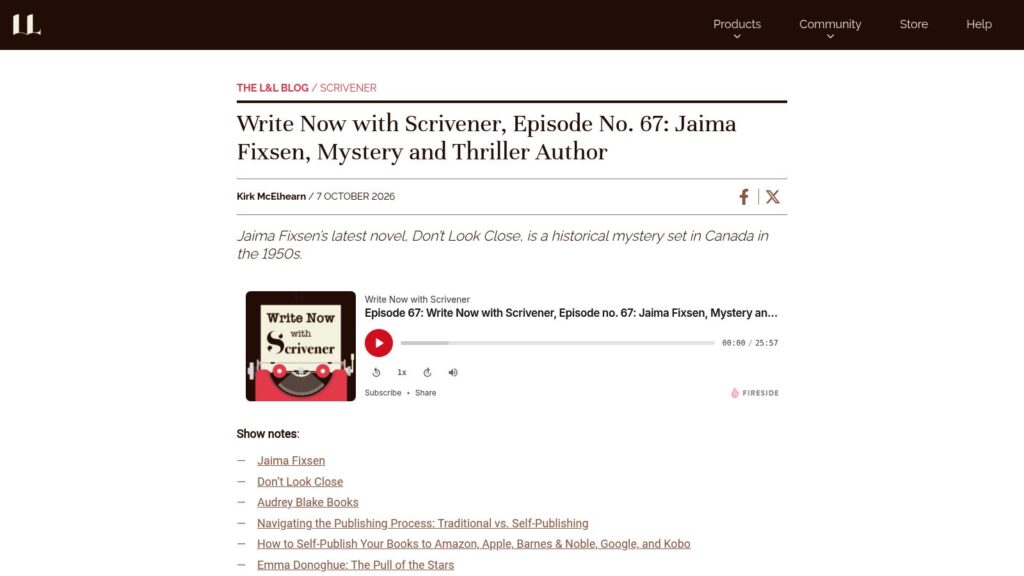
Tahmima Anam's novel Uprising, a finalist for the 2026 Orwell Prize, explores themes of climate crisis and exploitation through the story of a floating brothel island threatened by flooding and cyclones. Drawing inspiration from a real island in Bangladesh, Anam emphasizes how an outsider's perspective informs her writing and uses Scrivener to manage multiple character viewpoints and structure her work.

https://www.literatureandlatte.com/blog/write-now-with-scrivener-episode-no-64-tahmima-anam-author-of-uprising

Learn Creative Writing From Online Video Courses by Famous Writers

Online video courses featuring famous writers, offered by platforms like MasterClass and BBC Maestro, provide high-quality, documentary-style lessons on creative writing across various genres. While these courses deliver valuable insights and practical advice from admired authors, they lack the interactive feedback found in traditional workshops and university classes. Subscribers may find them beneficial and engaging, especially if they follow writers whose styles resonate with their own, but the learning experience is comparable to reading instructional books rather than receiving personalized critique.

https://www.literatureandlatte.com/blog/learn-creative-writing-from-online-video-courses-by-famous-writers

Introducing Lettera: a Native Markdown Editor for Mac, Now in Beta

Lettera beta, a native Markdown editor for macOS originally developed as part of Bear 2.0, is now available as a standalone app through TestFlight. It offers WYSIWYG Markdown editing, folder-based workspace management, rich formatting options, file and folder handling within the app, and various export features. Users are encouraged to download the beta, provide feedback, and help shape the final product.

https://blog.bear.app/2026/06/introducing-lettera-a-native-markdown-editor-for-mac-now-in-beta/

Search to Navigate

iA Writer 8 integrates search and document outline into a single interface using Apple's new Liquid Glass design, simplifying navigation and file management for writers. The update features a compact library view, enhanced authorship menus, and a fast command palette, and is available now on macOS, iPadOS, iOS, and Windows.

https://ia.net/topics/search-to-navigate

Should You Record Your Own Audiobook?

Self-published authors considering creating an audiobook version of their book should first understand the distribution options, with platforms like Amazon's ACX offering broad reach but limited to certain countries, while others like Spotify allow direct uploads. Recording an audiobook requires meeting specific technical standards, a quiet recording environment, proper equipment, and potentially the help of an audio engineer for editing and proofreading. Although narrating your own audiobook can deepen listener connection and add value, the process involves significant performance effort and post-production work that might be challenging for some authors.

https://www.literatureandlatte.com/blog/should-you-record-your-own-audiobook

Say It, Then Send It with Speech to Text

Grammarly has integrated advanced speech-to-text functionality into its mobile keyboard, allowing users to dictate text directly into any app with automatically polished, ready-to-send messages. This feature handles various languages and accents, removes filler words, and corrects grammar while preserving tone, offering a convenient alternative to traditional typing on mobile devices. The microphone activates only when tapped, ensuring user control and privacy, with audio deleted after processing.

https://www.grammarly.com/blog/product/say-it-then-send-it-with-speech-to-text/

Scroll to Top